
How to Search Civil Dockets
The North Carolina eCourts Portal is the public starting point for Case Summaries covering Greene County civil, estate, and nonconfidential special-proceeding matters. Smart Search holds the detailed Register of Actions. NC Judgment Search, a separate index, locates judgments by party or case number. It then points you back to Smart Search for the complete timeline. The Portal runs near real time. Even so, it is not the official court record.
A complete Enterprise Justice number makes the search painless. Greene County's identifier is -390, sitting after the year, the case-type letters, and the six-digit sequence. No number handy? Use a party or business name instead. Begin with plain text, then apply the location filter for Greene County before adding anything else. Add a civil case group, a status, or a filing-date range only when the results stay too broad. Advanced filters will not run without a basic criterion.
- Open Portal Smart Search and enter a full Greene case number, party name, or business name.
- Select Greene County after the basic search text is present, then choose a relevant civil, estate, or nonconfidential special-proceeding group if needed.
- Open the public Case Summary and check its assignment, parties, case events, hearings, and disposition fields.
- Use NC Judgment Search only as an index, then return to Smart Search for the full Case Summary.
- Check the current civil calendar or contact the clerk for a setting, source document, or certified copy.
Greene County Civil Docket Search Controls
Portal's civil controls narrow a result. They cannot turn a broad name search into a conclusion. Civil Actions, Estates, and nonconfidential Special Proceedings each form their own filter group. Civil Domestic stands apart as well. Some protective-order information faces online restrictions. The cleanest tie to Greene County comes from the county filter and the complete -390 file number.
| Field or control | Greene civil docket use |
|---|---|
| Case number | The complete number ending -390 is the narrowest public query. |
| Party or business name | Basic text search that can be narrowed by location and civil category. |
| Location | Select Greene County from the Portal filter. |
| Case type or status | Use a civil, estate, or nonconfidential special-proceeding filter after a basic search. |
| Filing-date range | Helps reduce a broad civil name result without replacing identifier checks. |
Portal helps a reader find public records. It does not promise that every pleading, signed order, or judgment image is available, unrestricted, or certified. Document access still bends to eligibility, processing, and access rules.
Greene County Civil Docket File Numbers
That trailing -390 in an Enterprise Justice number marks the file as Greene County. It works as a quick check on same-name statewide hits. The year, case-type letters, and sequence in a file number are system-assigned. Copy the number straight from the returned Portal record. Guessing at a civil code invites errors. A transfer to another county, or a Superior Court assignment, can reroute the case. It does so without erasing the first Greene record.
What a Civil Docket Shows
A Greene County civil Case Summary lays out a public case in labeled sections. Case Information sets the file's foundation. Assignment Information can show whether the case sits in Superior Court, District Court, clerk work, or a magistrate path. Party Information names the public roles. Causes of Action appear for civil, family, probate, and mental-health matters. Case Events, Hearings, Dispositions, and any Financial Information stand as separate areas. So read each one in context.
| File number and type | Confirm the Greene -390 suffix and read the actual case category. |
|---|---|
| Assignment Information | Shows the division or assignment that helps explain the calendar route. |
| Cause of Action | Provides the Portal’s civil or related description where it is available. |
| Case Events | Lists the dated filings and actions that make up the Register of Actions. |
| Hearings and Dispositions | Separates current or past settings from the exact recorded outcome or status. |
| Public images | May be available, but online visibility does not make a document an official copy. |
Greene County Civil Docket Court Divisions
Greene County runs one Clerk of Superior Court record system. Separate civil clerks do not exist there. Case category and court division drive assignment. The Judicial Branch puts civil claims at $25,000 or less in District Court. Claims over $25,000 go to Superior Court, subject to the statutory proper-division rules. Treat that routing description as general, not filing advice. Estates, probate, and many special proceedings also move through the clerk's judicial role.
For official trial-division context on major civil matters, see the state's Superior Court description. It explains how that division handles them.
Superior Court assignment shapes scheduling. The Greene clerk still keeps the local civil record and its official-copy path. The Judicial Branch Small Claims Court page explains the magistrate channel inside District Court and how those cases reach it.
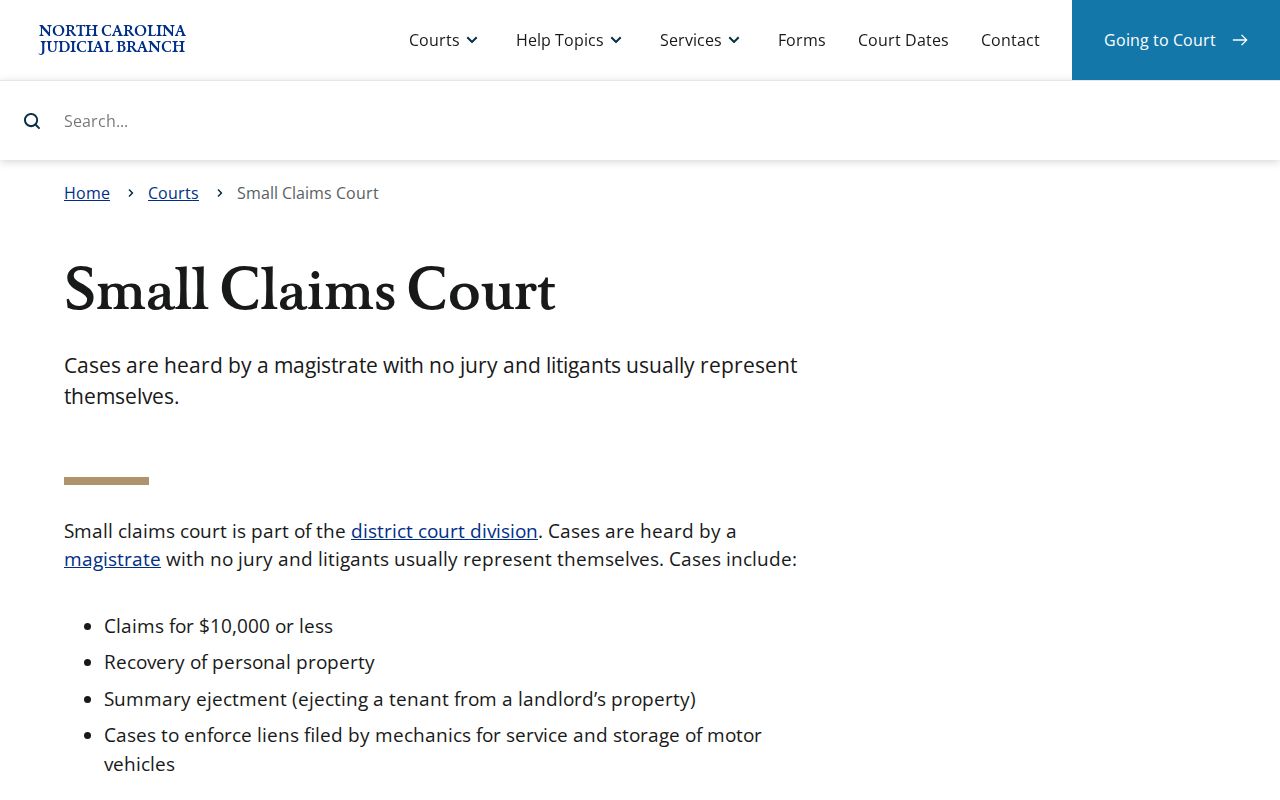
Small claims before a magistrate cap at $10,000. These cover stated money, property, and related matters. District Court provides an appeal route from a magistrate judgment. An appeal changes the case path without shifting the record to a new clerk.
Types of Civil Cases on the Docket
Portal's civil filter groups help you locate a file. They do not settle what happened. Treat them as locators, not conclusions. Published Civil Actions options include Civil General, Civil Magistrate, Civil Foreclosure, Summary Ejectment, Bond Forfeiture, Confession of Judgment, and Non-Domestic Restraining Orders. Civil Domestic, estates, and special proceedings get their own groups. For a precise reading, use the returned case's cause, events, and disposition.
Status labels demand care. "Unserved" means service never finished, not that anyone decided the case. "Disposed" covers a lot of ground. It may signal a clerk disposition, a voluntary dismissal, a final judgment without trial, a trial by judge, jury, or magistrate, or another stated result. Other published statuses include appealed, remanded, reopened, stayed, transferred, and trial de novo where appropriate. Read the exact event and status. A Portal category only points to a file; the Case Summary remains the source for the case's actual public procedural history.
Greene County Civil Docket Calendar Forms
Greene County follows Local Rules of Civil Superior Court that it shares with Lenoir. The county's local page posts a set of scheduling forms. Look for names like Calendar Request, Notice of Hearing, Request for Peremptory Setting, Request for Continuance, and Civil Case Status Report when a Greene County civil docket lists its Case Events. These entries mark a procedural step. A party asked the court for something or gave notice of a hearing date. That is all they prove. Seeing a form name does not mean the judge granted the request. An older setting listed there may no longer stand. Treat each label as a clue and confirm it against the docket's current hearing information. The Greene local rules and forms collection is where the court publishes these county-specific civil scheduling forms and the rules that govern them.
Never take a form title as your court-date confirmation. Match any Notice of Hearing or Calendar Request against the current Hearings block and the official calendar before you count on a date.
Greene County Civil Docket Status Terms
A status word in the Civil Portal marks a procedural point. It is not a final verdict on the case. "Unserved" simply means service is still incomplete. From there the docket can branch. "Disposed-Clerk of Superior Court," "Disposed-Final Judgment No Trial," "Disposed-Trial by Judge," and "Disposed-Voluntary Dismissal" each describe a different published route. Appealed, remanded, reopened, stayed, transferred, and trial de novo are separate paths too. Read the exact status text and its date before concluding anything about the case.
Settings and Hearings on Civil Dockets
Start with the Hearings area of the Case Summary for any Greene civil case. Then cross-check the date through the official Greene County court calendar channels. The state civil calendar interface covers Greene when you select it. Portal Search Hearings works as the live tool. It can pull current locations and times by case number, party or business name, attorney, judicial officer, or courtroom. If two sources disagree, call the clerk or the right court contact.
The 2026 Greene Civil Superior schedule runs full-week sessions. They start March 16, May 26, September 14, and October 26. Trial-scheduling notices, calendar requests, and motions to continue all hang on those weeks. Trials may fill part of any session week. Motions are generally heard the first day. The court can set them later with permission. One caution: a session week is not an individual hearing time for your case.
Greene County Civil Docket Judgment Index
NC Judgment Search and Smart Search do different jobs. NC Judgment Search is a statewide public index. You can filter it by party, case number, case type, status, location, and judgment date. A result there may show a case number, disposition status, index date and time, parties, and judgment comments. For the full Case Summary, Smart Search is the tool that reads the actual court docket. That summary includes case events and hearing history.
| Tool | Best use | Limit to remember |
|---|---|---|
| NC Judgment Search | Locate a public judgment index result. | The index date and time are not automatically a hearing time or the full history. |
| Portal Smart Search | Read the Greene civil Case Summary and linked public material. | It is not the official record or a certification service. |
| Greene Clerk | Inspect the county file or request an official copy. | Restricted records remain subject to law and court rules. |
A Portal financial amount is not permission to pay a civil judgment online. Civil judgments cannot be paid through Portal Make Payments, so arrange payment with the clerk instead.
Public Access to Civil Dockets
Public access to a Greene civil docket rests on one baseline. The clerk maintains the records, files, dockets, and indexes. Nonrestricted material stays open for public inspection. Portal adds remote access, offering public Case Summaries and eligible images from anywhere. Even so, a web view, the document behind an event, and a clerk-certified copy remain three different things. When the online version seems thin or you need an official record, the clerk's office and its public terminal are the local route.
Not everything is open. Juvenile records are confidential. Protective-order information can carry extra online limits, and sealed or expunged records never appear in Portal. Redaction protections also shield sensitive identifiers. A blank search result proves nothing. It is not evidence that a case never existed or that a given filing is public.
Key Rules:
G.S. 7A-109 directs the clerk to keep dockets and provides public inspection of material not prohibited by law.
G.S. 132-1 supplies North Carolina’s public-records baseline, while court-file access remains subject to specific rules.
G.S. 132-1.10 protects listed sensitive identifiers and provides a document-specific redaction route.
Greene County Civil Docket Official Copies
A public Case Summary is usually enough to spot the current record. It is not a certified judgment, though, and no clerk issued it. For an official copy, go to the Greene County Clerk of Superior Court. The office can pull the actual filed paper or a legacy event. The office sits at 301 N. Greene Street in Snow Hill. Call the clerk line at (252) 747-6200. State guidance also points to a public self-service terminal. It points as well to the paper file kept at the clerk office in the county where the case is located. The Judicial Branch's civil case and court-division information lays out the official framework. It covers these civil routes.
Copy fees follow the current state structure. The first page of a document costs $2, and each additional page costs 25 cents. A certificate under seal runs $3, and exemplification costs $10. Greene publishes no ordinary copy-request form or turnaround time. Direct your request to the clerk.
Greene County Civil Docket Terminal Route
A terminal at the clerk's office gives you another electronic viewing path. Use it when a public Portal image is missing. Use it also when you want a search checked against the county file. State guidance keeps the paper file in the county where the case is located. That makes the Greene Clerk the right next call for a public civil file. The clerk is also right for an older record or a copying and certifying question. Restricted records stay off limits under the governing confidentiality rules.