
How to Search Criminal Dockets
The public entry point for a Greene County criminal docket is the North Carolina eCourts Portal. Its Smart Search tool pulls up the Case Summary for public criminal and infraction cases. That summary is also called the Register of Actions. Need a current time or courtroom instead? Search Hearings handles that. Portal runs close to real time, though it never replaces the official court record kept by the clerk. The Greene criminal calendar works well as a cross-check once you know the case.
A complete Enterprise Justice number is the sharpest search key. It opens with a two-digit year. Next come system case-type letters, a six-digit sequence, and a three-digit county identifier. Greene files end in -390. With only a name in hand, run a basic party-name search first. Then narrow the results to Greene County and the Criminal or Infraction type. Portal has no charge-based criminal search. A charge description cannot serve as a search key.
- Open Portal Smart Search and enter a full case number, citation number, or party name.
- For a broad result, select Greene County and the Criminal or Infraction case type after entering the basic criterion.
- Open the matching public Case Summary and confirm the -390 county suffix, assignment, and status.
- Read Case Events, Hearings, and Dispositions separately. A past event is not the same as the next setting.
- Use Search Hearings and the Greene criminal calendar for a current date, then contact the clerk for an official or certified record.
Greene County Criminal Docket Search Fields
Portal search runs on identifiers and filters, not an open-ended charge lookup. The basic search takes a case number. A party name works too. A known citation can steer an infraction search toward the right file. Before treating a name match as your case, check the county suffix and the court assignment. Public results hide date-of-birth details. Victims never appear in Portal search returns.
| Field | How it narrows a Greene search |
|---|---|
| Case number | The narrowest route when the number ends in -390. |
| Party name | Use the basic name field first, then select Greene County. |
| Case type | Choose Criminal or Infraction for the relevant public case group. |
| Status or filing date | Use only as a secondary filter for a broad name result. |
Advanced filters cannot stand alone. The Portal guide also warns that its advanced Party Name option can shrink results and allows no wildcard. A simple, verified basic search is the sound first move.
Greene County Criminal Docket File Numbers
A Greene criminal file number tells you more than a name match can. Its final three digits, 390, mark the file as Greene's within the Enterprise Justice pattern. The middle letters are system case-type coding. So rely on the number Portal returns. Don't guess a code or invent a sequence. A transfer, appeal, or remand may send the case onward. Even then, the original number stays a useful starting point. The receiving court or county may deserve a closer look.
What a Criminal Docket Shows
A Greene County criminal Case Summary reads as a timeline, not a single verdict. Case Information and Assignment Information pin down the file and its court path. Party Information shows up for public matters, and Case Events log dated activity. Hearings list settings. Dispositions state an outcome or status. Financial Information appears only where it applies. Do not assume every case shows the same charge detail, bond amount, courtroom, or document image.
| Case number | Confirm the complete Enterprise Justice number and Greene -390 suffix. |
|---|---|
| Assignment | Use the court or division assignment to distinguish the District Court and Superior Court path. |
| Case Events | Read the dated activity in sequence; older converted entries can show a midnight timestamp. |
| Hearings | Compare a current setting with Search Hearings or the Greene criminal calendar. |
| Dispositions | Quote the displayed status rather than treating “Disposed” as a particular legal result. |
| Documents and financials | Availability and payment eligibility vary. A visible image is not a certified copy. |
Greene County Criminal Docket Court Paths
A Greene criminal docket can start with a magistrate. From there it may run through District Court, and in some cases reach Superior Court. District Court District 9 holds original jurisdiction over misdemeanors and infractions. Magistrates serve as officers of that division. They handle defined early criminal work such as release matters and certain minor cases. Superior Court District 9A tries felonies and hears eligible District Court appeals. The Judicial Branch's District Court overview spells out the division's role. It explains the magistrate role too.
That page explains the division split. It does not add a second record keeper: the Greene County Clerk of Superior Court keeps the county's trial-court files, dockets, and indexes.
Stages on a Criminal Docket
Read a criminal docket as a sequence of court actions. Early entries may cover initiation, magistrate process, or a District Court setting. Misdemeanors and infractions usually stay in District Court, while felonies can show preliminary District Court activity before moving to a Superior Court trial path. For a present setting, the live Hearings block and Search Hearings beat an old Case Event every time. The Judicial Branch criminal case process resource gives the official statewide process behind these Greene docket stages.
That flow shows the broad court process. The exact Greene sequence is the one in your returned Case Summary and current hearing record.
Docket flow: Initiation or pretrial activity › District Court setting › transfer or Superior Court path when applicable › plea or trial › disposition › appeal or remand when shown.
Portal statuses like Transferred to Superior Court, Appealed-Appellate, or Remanded are routing clues. They do not mean the earlier trial record vanished. Let a listed status point you to the current assignment, hearing details, or clerk confirmation.
Greene County Criminal Docket Status Terms
Wording matters in a Greene County criminal docket. Portal publishes set criminal and infraction status labels. But a label alone never tells the whole story. Pair it with the event date, assignment, and disposition text the case actually displays. That habit keeps a broad status from standing in as a finding. It says nothing about a person by itself.
- Transferred to Superior Court
- A published status pointing to a change in the court path. Check the receiving court’s setting and events.
- Appealed-Appellate
- A published criminal or infraction status signaling an appellate layer beyond the trial Case Summary.
- Remanded
- A return from a higher-level process for further action. It is not simply a new filing.
- Pending Expungement
- A Portal status that differs from an already expunged case, which is no longer available online.
- Voluntarily Dismissed with Leave
- A published label that should be reported exactly as shown, not recast as a generic result.
Greene County Criminal Docket Hearing Checks
Start with Smart Search to confirm the case you pulled up. Then cross-check it through Search Hearings and the Greene Criminal Calendars page. One caution comes from the Portal FAQ. Courts and judges can call cases in any order they choose. A time on the calendar is a slot, not a promise. So the docket tells you the day. It does not fix the exact minute your case will be heard. If the schedule looks unclear, ask courtroom staff or the clerk. You can also use the published court contact path.
Which Court Holds Criminal Dockets
Greene County runs criminal dockets through one unified clerk structure. The Greene County Clerk of Superior Court keeps the records for both Superior Court and District Court matters. Access restrictions still apply. Which division handles a case changes its path, not the county office holding the file. Check the Assignment Information on the returned Case Summary first. Do not assume where a matter is set before that. For a current setting, compare the official Greene Criminal Calendars interface with Portal Search Hearings. If a web record looks thin, use a fallback. The clerk's public terminal and the paper file in the case's home county are the local options. Call the clerk at (252) 747-6200. For the early-process channel, the magistrate line is (252) 747-6219.
Greene County Criminal Docket eCourts Shift
Greene moved onto eCourts with the Track 8 conversion on April 28, 2025. That shift brought Enterprise Justice, the public Portal, and File & Serve to the county. It also explains two quirks. Older local pages may still point to retired services. And pre-Odyssey criminal events can show a 12:00 AM time. Treat that time as a conversion artifact, not evidence of a midnight court event. The official Track 8 eCourts announcement documents Greene's conversion. It also lists the Portal functions now open to the public.
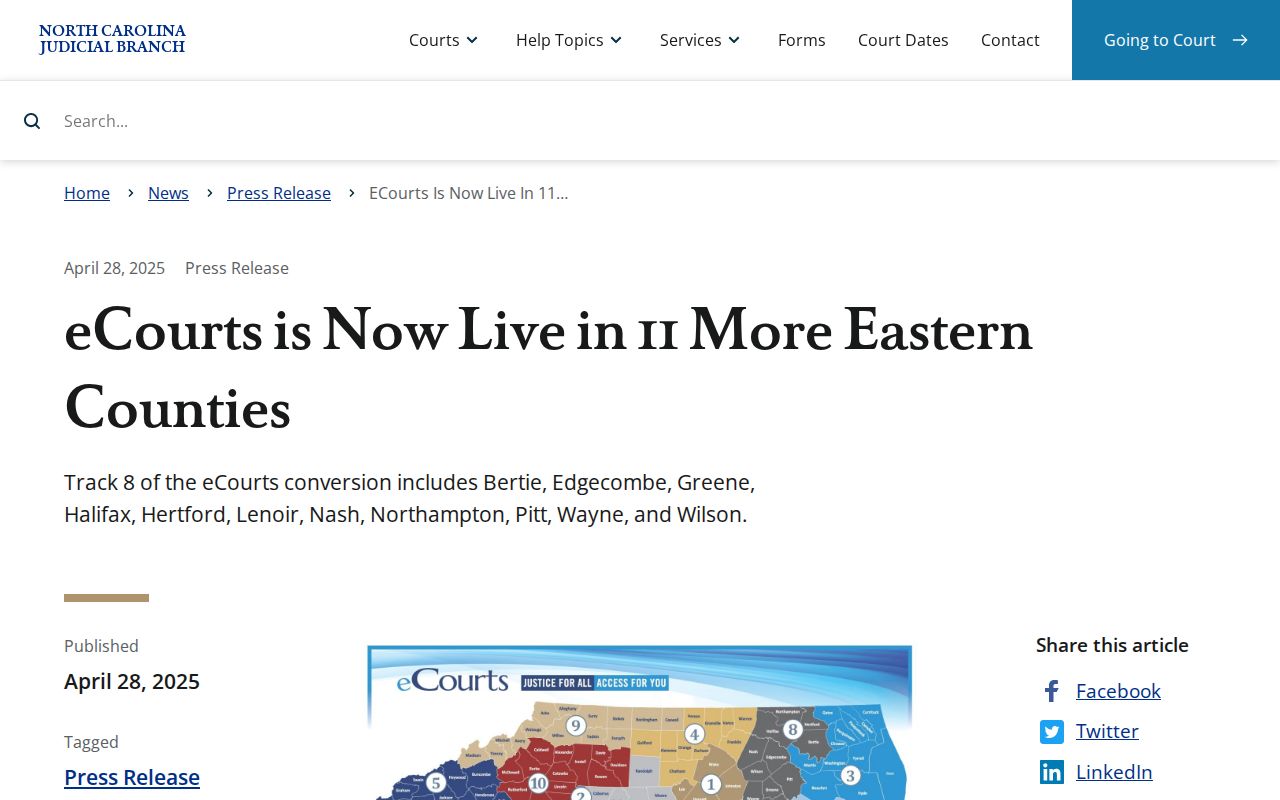
The Portal gives the public its view of the criminal docket. File & Serve handles registered electronic filing. Neither one replaces the clerk's legal original. The Judicial Branch File & Serve training and resources describe the registered filing channel used with eCourts.
Electronic filing status is one thing; the public Portal view is another. For the official court record, use the clerk's record-access route.
Public Access and Sealed Criminal Dockets
North Carolina's default is public access unless a more specific law closes the file. Portal lets you search public Greene criminal Case Summaries. G.S. 7A-109 puts records, files, dockets, and indexes in the Greene clerk's hands. Nonrestricted material stays open to inspection during regular office hours. Still, the online result is a convenience copy, not the official court record. Sealing does not lift through a Portal search. Juvenile records, unreturned warrants, protected data, and some protective-order information carry separate limits. An expunged or sealed case simply drops off the online docket. A blank result can mean several things. It could be a wrong county, a mistyped case number, a spelling slip, or processing lag. It is not proof that no file exists.
Key Rules:
G.S. 7A-109 requires clerk record keeping and public inspection of nonrestricted court records.
G.S. 7B-3000 withholds juvenile records from public inspection unless a statute or court order permits access.
G.S. 15A-151 makes expunged court records confidential except for narrow statutory disclosure routes.
Greene County Criminal Docket Treatment Courts
District 9 is listed as an operational location for Adult Treatment Court and Family Treatment Court. That adds useful context to a Greene County criminal docket search. Neither program is a separate public portal, though. A public underlying case still comes up through its ordinary Case Summary. Family Treatment Court work can also run into juvenile and family confidentiality rules. So a program listing does not open a particular matter to online public view. The Judicial Branch Adult Treatment Court listing identifies the statewide program. It also notes the program's Greene district context.
Do not read program eligibility or schedules out of the public docket. For a public case, the returned Case Summary and the clerk remain the record-based sources. The Judicial Branch Family Treatment Court listing separately identifies the program category serving the district.
A treatment program sitting alongside a case changes nothing about the unified Greene clerk's custody of the regular court file. It also changes nothing about the confidentiality rules for restricted matters. Note: A program name in a case event is context only. It is not a stand-in for the complete public record or current hearing information.
Greene County Criminal Docket Copy Route
Need an official criminal record copy or a disposition? Portal finds the case; the Greene Clerk supplies the paper. The file stays in the county where the case sits. Clerk offices offer a public self-service terminal. Fees come from the current state schedule. That is $2 for the first copied page and 25 cents for each additional page. A certificate under seal costs $3. Exemplification runs $10. Ask the clerk how your particular request should be made.